

 As one of the most inexpensive products offered by the manufacturer, the Lenovo V15 Gen 4 is ready to withstand endless criticism from people like us. However, its simplicity and low price will attract more customers than its possible drawbacks.
Today, we are going to review this laptop, putting its hardware through a bunch of tests. The unit we got at the office is the AMD version of the model. It can be found with either an Athlon Silver, Athlon Gold, Ryzen 3 7320U, or a Ryzen 5 7520U. As you can tell, there is quite a significant difference between the lowest-end and the highest-end options, which can be crucial at the end of the day.
Other than that, you will find a laptop that comes with a 1080p display. Unfortunately, TN options are unavoidable at this price range, however, there is also an IPS unit. Make sure to get the IPS option if you can afford it.
Of course, that's if we consider that you have any reason to get this device in the first place. Let's take a moment to look at the spec sheet, before we unbox it, and see what's inside.
Design and construction
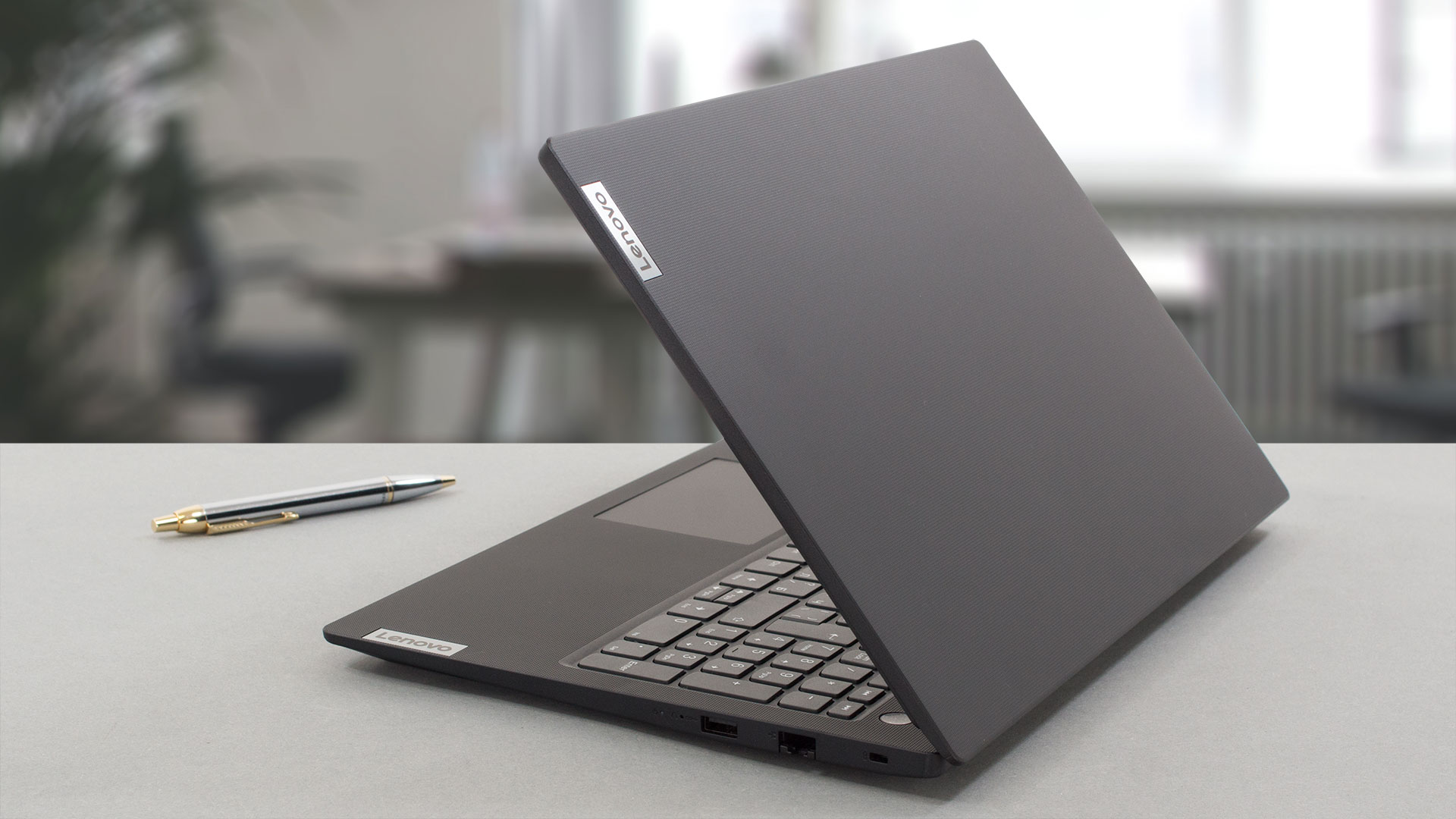
Unsurprisingly, this machine is made entirely out of plastic. It has a textured-like finish on top. In addition, we see almost no structural support on the inside, which makes the device rather flexible.
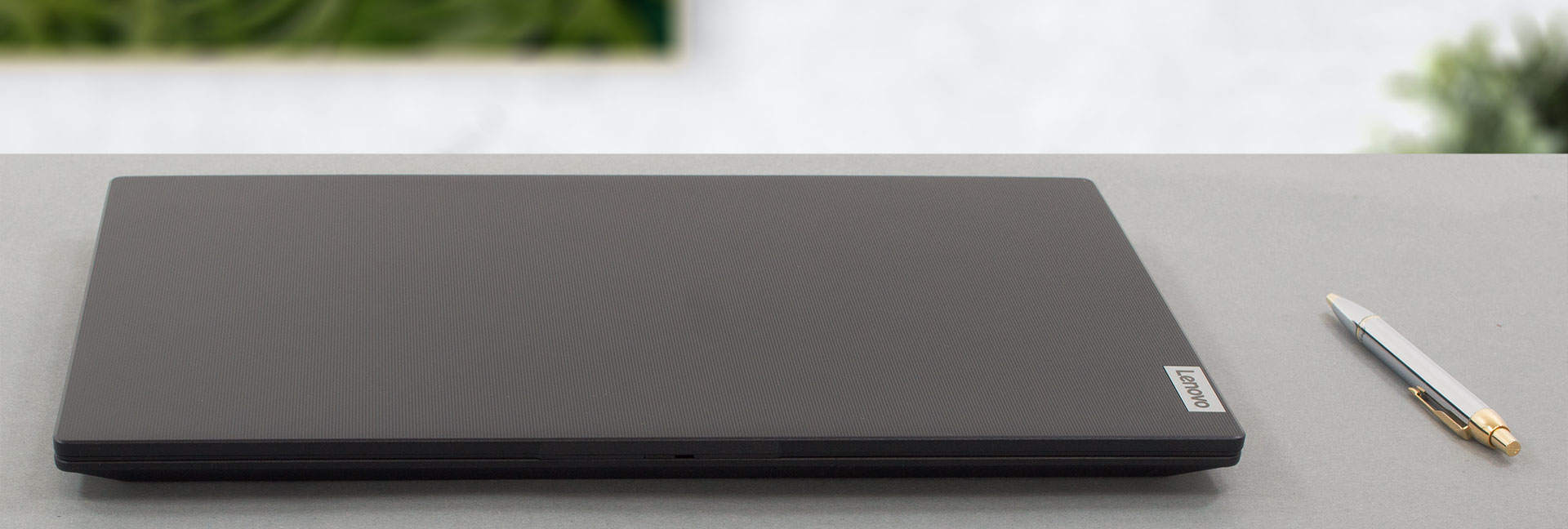
On the bright side, the lack of metal components means that the laptop is light. It weighs only 1.65 kg. In terms of thickness, it is a bit more standard - 19.9 mm. By the way, the keyboard deck is quite bendy as well.
Well, the lid cannot be opened with a single hand. However, the pretty thin bezels around the matte display definitely make the device look more modern. In addition, there is an HD Web camera with a privacy shutter above it.

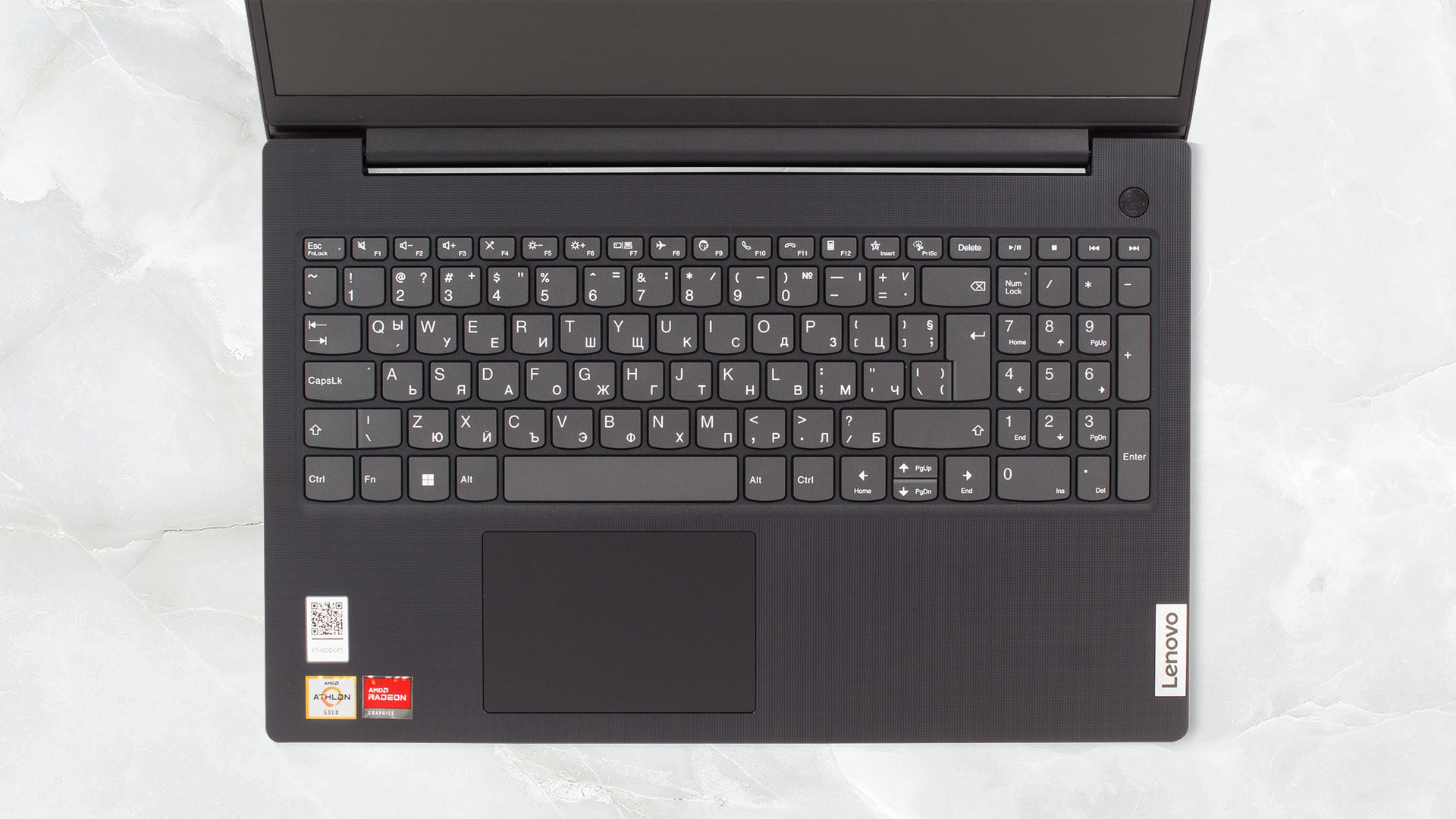
As we said, the keyboard deck isn't very firm. However, the typing experience is pretty good. In addition, there is a NumPad section on the right. Of course, there is no backlight, but at this price point, we don't expect anything else. Thankfully, it's spill-resistant.

While the touchpad is not extremely big, measuring 62 by 104 mm, we found it to be very accurate and responsive. It even lets you click across its entire surface area.
Moving to the bottom panel, we see two speaker cutouts, as well as a ventilation grill. The hot air, respectively, exits through a vent located between the base and the lid.

Ports
On the left, there is the power plug, one USB Type-A 3.2 (Gen. 1) port, an HDMI 1.4b connector, a USB Type-C 3.2 (Gen. 1) port with 20V Power Delivery and DisplayPort capabilities, as well as an Audio Jack. Then, on the right, you get a Kensington Nano lock slot, a LAN port, and a USB Type-A 3.2 (Gen.1) port.


Display Quality, Health Impact (PWM), Sound
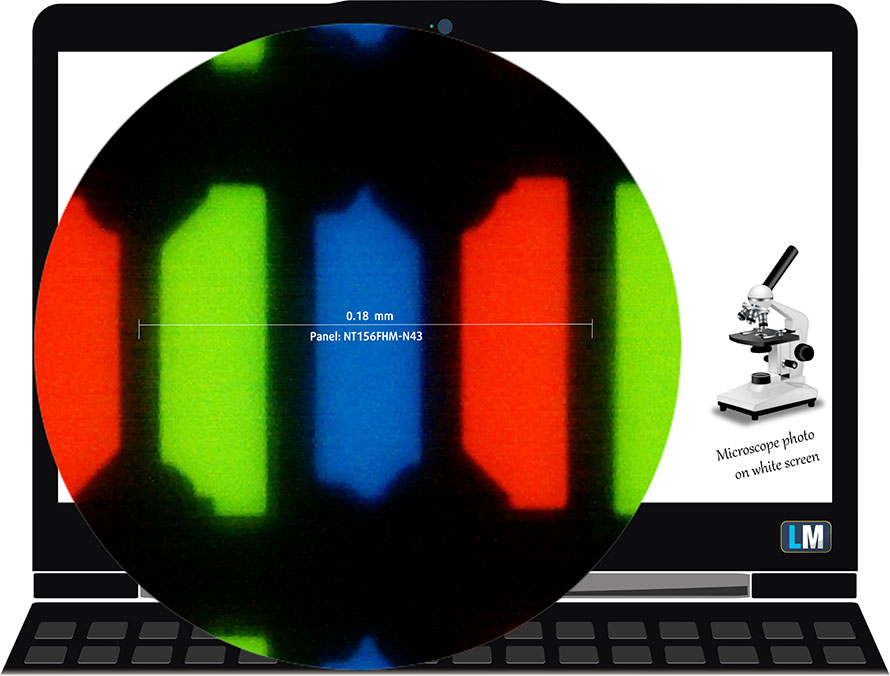
Lenovo V15 Gen 4 is equipped with a Full HD TN panel, model number BOE NT156FHM-N43 (BOE08D5). It comes with a 60Hz refresh rate. Its diagonal is 15.6″ (39.62 cm), and the resolution is 1920 x 1080p. Additionally, the screen ratio is 16:9, with a pixel density of 141 ppi, and a pitch of 0.18 x 0.18 mm. The screen can be considered Retina when viewed from at least 60 cm (from this distance, the average human eye can't see the individual pixels).
Viewing angles are not comfortable. We offer images at different angles to assess the quality.

Also, a video with locked focus and exposure.
The maximum measured brightness is 288 nits (cd/m2) in the middle of the screen and 275 nits (cd/m2) average across the entire surface with a maximum deviation of 11%. The Correlated Color Temperature on a white screen and at maximum brightness is 6420K.
In the illustration below you can see how the display performs from a uniformity perspective. The illustration below shows how things are for operational brightness levels (approximately 140 nits) - in this particular case at 84% Brightness (White level = 144 cd/m2, Black level = 0.6 cd/m2).
Values of dE2000 over 4.0 should not happen, and this parameter is one of the first you should check if you intend to use the laptop for color-sensitive work (a maximum tolerance of 2.0). The contrast ratio is very low - 200:1.

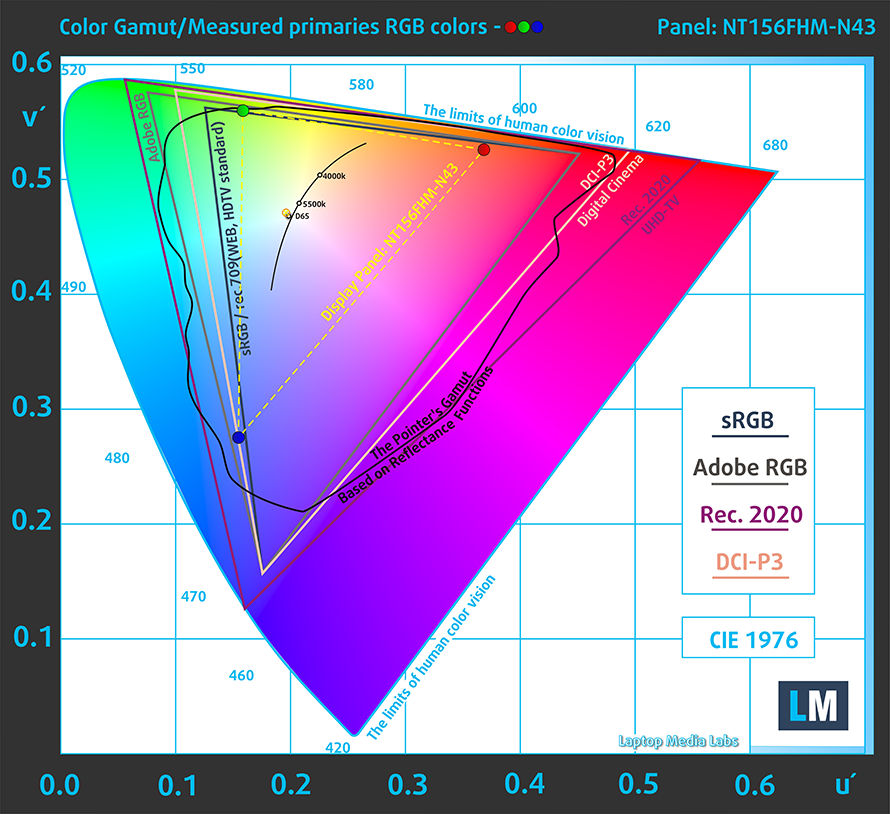
To make sure we are on the same page, we would like to give you a little introduction to the sRGB color gamut and the Adobe RGB. To start, there's the CIE 1976 Uniform Chromaticity Diagram that represents the visible spectrum of colors by the human eye, giving you a better perception of the color gamut coverage and the color accuracy.
Inside the black triangle, you will see the standard color gamut (sRGB) that is being used by millions of people in HDTV and on the web. As for the Adobe RGB, this is used for professional cameras, monitors, etc. So, basically, colors inside the black triangle are used by everyone and this is the essential part of the color quality and color accuracy of a mainstream notebook.
Still, we've included other color spaces like the famous DCI-P3 standard used by movie studios, as well as the digital UHD Rec.2020 standard. Rec.2020, however, is still a thing of the future and it's difficult for today's displays to cover that well. We've also included the so-called Michael Pointer gamut, or Pointer's gamut, which represents the colors that naturally occur around us every day.
The yellow dotted line shows Lenovo V15 Gen 4's color gamut coverage.
Its display covers 49% of the sRGB/ITU-R BT.709 (web/HDTV standard) in CIE1976 and 37% of DCI-P3.
Our "Design and Gaming" profile delivers optimal color temperature (6500K) at 140 cd/m2 luminance and sRGB gamma mode.
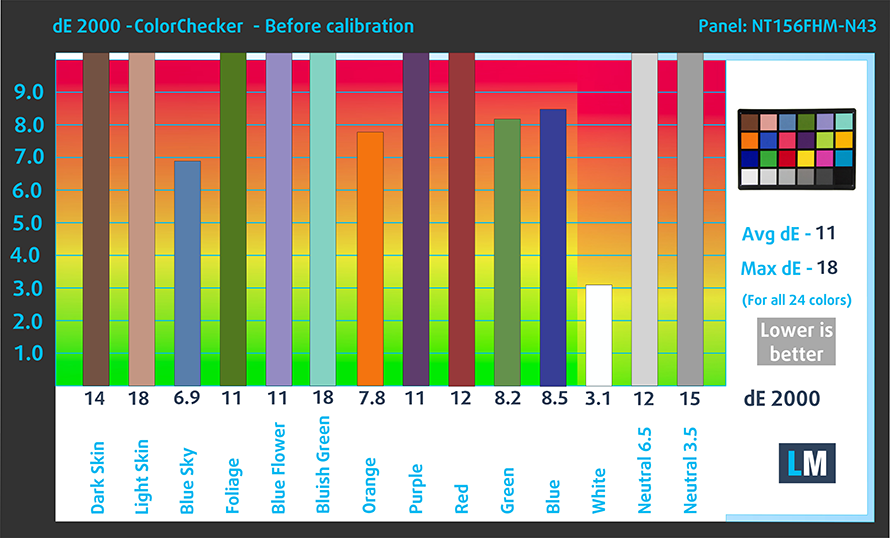
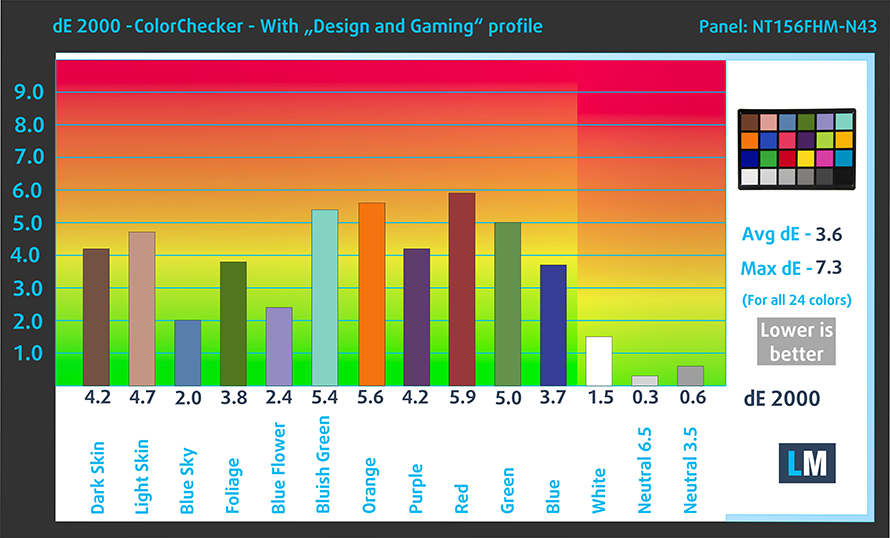
We tested the accuracy of the display with 24 commonly used colors like light and dark human skin, blue sky, green grass, orange, etc. You can check out the results at factory condition and also, with the "Design and Gaming" profile.
Below you can compare the scores of the Lenovo V15 Gen 4 with the default settings (left) and with the "Gaming and Web design" profile (right).
The next figure shows how well the display is able to reproduce really dark parts of an image, which is essential when watching movies or playing games in low ambient light.
The left side of the image represents the display with stock settings, while the right one is with the "Gaming and Web Design" profile activated. On the horizontal axis, you will find the grayscale, and on the vertical axis - the luminance of the display. On the two graphs below you can easily check for yourself how your display handles the darkest nuances but keep in mind that this also depends on the settings of your current display, its calibration, the viewing angle, and the surrounding light conditions.

Response time (Gaming capabilities)
We test the reaction time of the pixels with the usual "black-to-white" and "white-to-black" method from 10% to 90% and vice versa.
We recorded Fall Time + Rise Time = 12 ms.

Health Impact: PWM (Screen flickering)
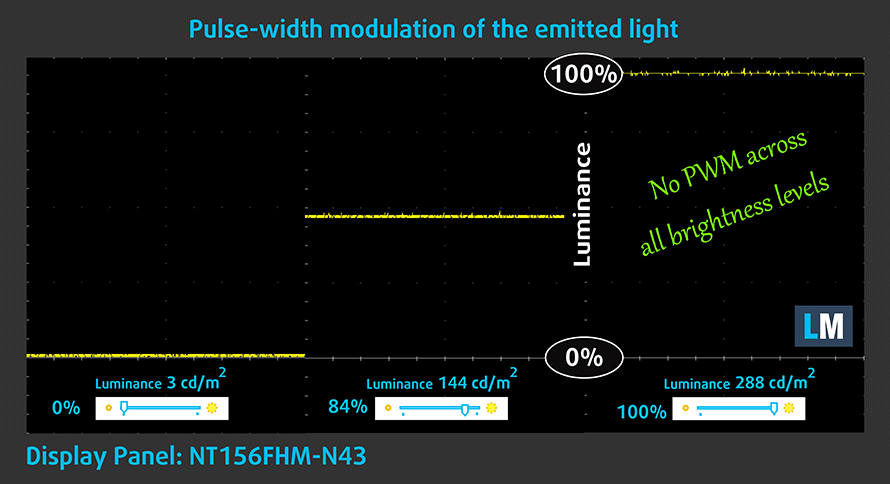
Pulse-width modulation (PWM) is an easy way to control monitor brightness. When you lower the brightness, the light intensity of the backlight is not lowered, but instead turned off and on by the electronics with a frequency indistinguishable to the human eye. In these light impulses, the light/no-light time ratio varies, while brightness remains unchanged, which is harmful to your eyes. You can read more about this in our dedicated article on PWM.
Lenovo V15 Gen 4's display doesn't flicker at any brightness level. This makes the screen rather comfortable for long periods of use.
Health Impact: Blue Light Emissions
Installing our Health-Guard profile not only eliminates PWM but also reduces the harmful Blue Light emissions while keeping the colors of the screen perceptually accurate. If you're unfamiliar with the Blue Light, the TL;DR version is - emissions that negatively affect your eyes, skin, and your whole body. You can find more information about that in our dedicated article on Blue Light.
Health Impact: Gloss measurement
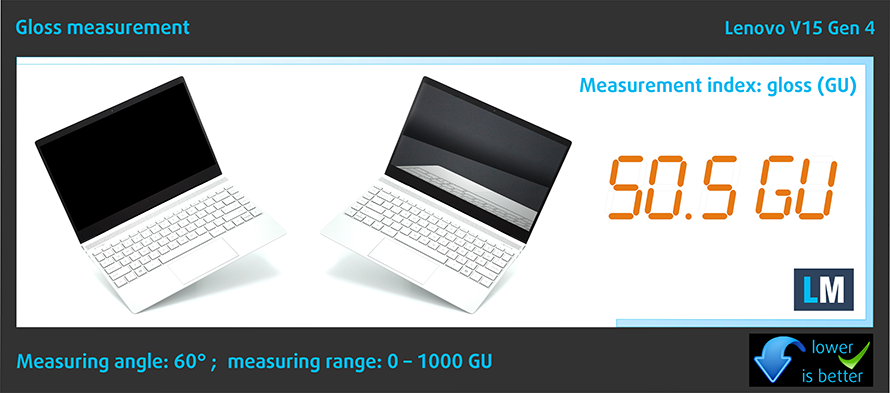
Glossy-coated displays are sometimes inconvenient in high ambient light conditions. We show the level of reflection on the screen for the respective laptop when the display is off and at a measuring angle of 60° (in this case, the result is 50.5 GU).
Sound
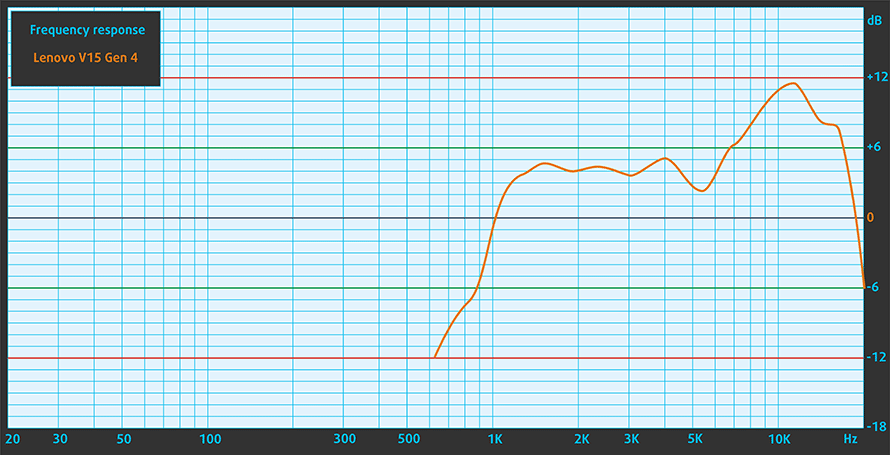
Lenovo V15 Gen 4's speakers produce sound of decent quality. It's not very loud, but we found almost no deviations across the entire frequency spectrum. However, we can spot that the highs are somewhat overrepresented.